Timers

Timers can be a useful tool for managing your time and staying focused on specific tasks.

To effectively use timers, follow these steps:

  1. Identify the task you want to work on: Before you start using a timer, take a moment to identify the task or project that you want to focus on. This will help you set a realistic time limit for the task and determine how much time you need to allocate to it.
  2. Set a time limit: Once you know what task you want to work on, set a time limit for it. This will help you stay focused and on track, and will prevent you from getting bogged down in the task and wasting time.
  3. Use a timer to track your progress: Start the timer when you begin working on the task, and use it to track your progress. This will help you stay focused and on track, and will allow you to see how much time you have left to complete the task.
  4. Take regular breaks: It’s important to take regular breaks when using a timer to avoid burnout and maintain your focus. For example, you might set a timer for 25 minutes of focused work, followed by a 5-minute break.
  5. Adjust your time limits as needed: Your time limits may need to be adjusted as you gain more experience with the task. For example, if you find that you are consistently completing a task in less time than you had originally planned, you may want to reduce your time limit to keep yourself challenged and engaged.

Overall, effective use of timers can help you stay focused, productive, and on track with your tasks and projects. By setting time limits and using a timer to track your progress, you can make the most of your time and get more done.

Focus Time

Focus time is a specific block of time that is set aside for focused, uninterrupted work on a specific task or project. This can help you be more productive and efficient, as it allows you to fully concentrate on the task at hand without being distracted by other tasks or interruptions.

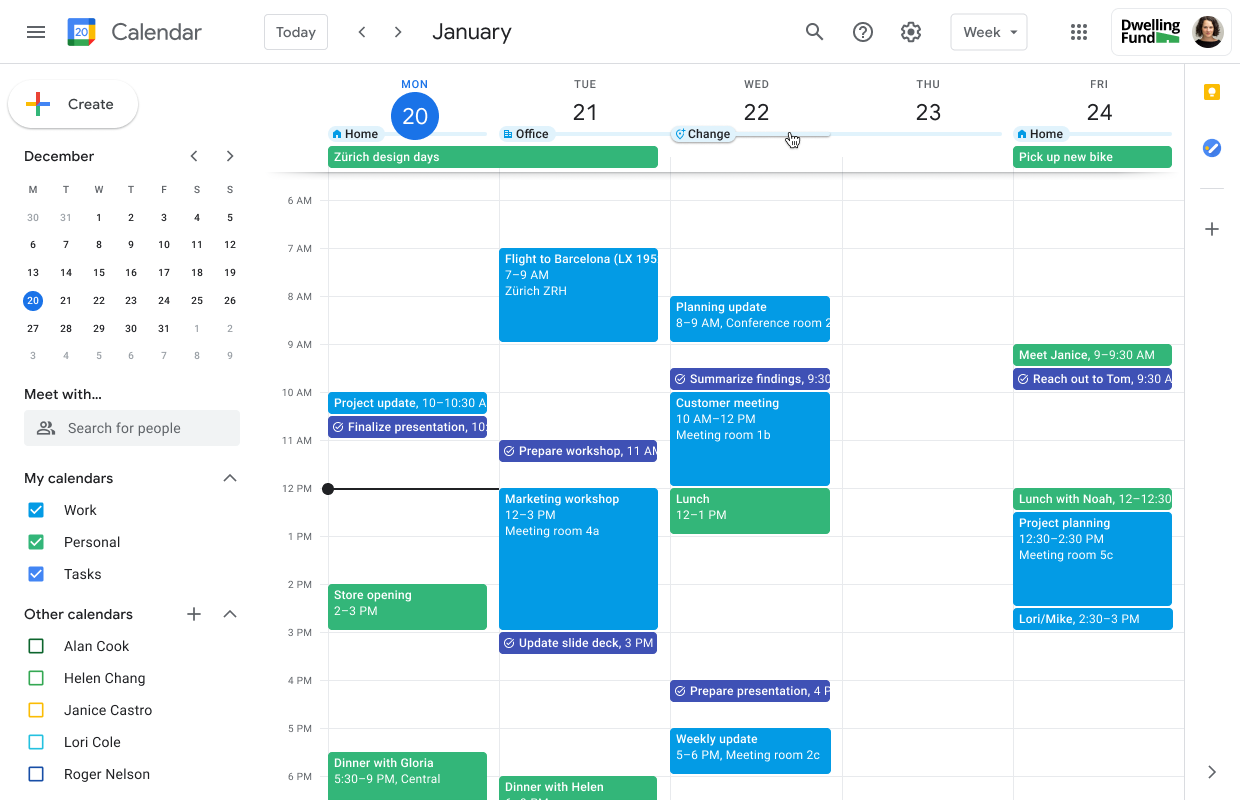
It is often used as part of a time management technique called “time blocking” or “calendar blocking” which involves dividing your day into blocks of time for specific tasks or activities. For example, you might block off two hours every morning for focused work on a major project, and then block off an hour in the afternoon for responding to emails and handling other administrative tasks.

If you are interested in calendar blocking check out my other post specifically on this topic here

Focus time can be helpful for anyone who needs to focus on a specific task or project, such as writers, artists, or professionals who need to work on complex projects. By setting aside dedicated focus time, you can be more productive and get more done in less time.

Calendar Blocking

Calendar blocking is a time management technique that involves setting aside specific blocks of time on your calendar for specific tasks or activities. This can help you stay organized and focused, and can prevent you from overbooking yourself or feeling overwhelmed.

To effectively use calendar blocking, follow these steps:

  1. Identify your priorities and goals: Before you start blocking time on your calendar, take some time to think about your priorities and goals. What tasks or activities are most important to you, and what do you need to do to achieve your goals?
  2. Create blocks of time: Once you know what tasks and activities are most important to you, start creating blocks of time on your calendar for each of them. For example, you might block off two hours every weekday morning for exercise, or one hour every afternoon for writing.
  3. Be specific: When blocking time on your calendar, be as specific as possible. Instead of just blocking off “work time,” for example, specify which projects or tasks you will be working on during that time.
  4. Stick to your blocks: Once you have blocked off time on your calendar, try to stick to those blocks as much as possible. This will help you stay organized and focused, and will prevent you from wasting time on unimportant tasks or activities.
  5. Adjust as needed: Your schedule may change over time, so it’s important to be flexible and adjust your calendar blocks as needed. If you find that a certain block of time is no longer working for you, don’t be afraid to move it or delete it altogether.

Overall, effective use of calendar blocking can help you stay organized, focused, and productive. By blocking off specific blocks of time for your most important tasks and activities, you can make the most of your time and achieve your goals.

Making the most out of your Task Management

  1. Which rules should you follow ?
  2. Choosing the right tasks
  3. Uncluttering your TMS

TMS Ground rules

There are simple rules to follow if you want to make the most out of using a Task Management System. 

First of all, you need it to be quickly available

Like most of the tools you might want to use and put in place, the most important thing is to remove any friction from using them. The easier they are to start to use, the more useful these tools become and more importantly, the more likely you will be to use them.

Additionally, by having a quick access to your TMS, you’ll be able to keep your mind focused on the work or discussion you are having instead of focusing on reminding yourself of the task you’ll need to do later on. 

Lastly, when your TMS is ready at any point in time you can more easily get to the next task with ease. It just means being more efficient on your task switching, really 🙂

Second you need it to feel simple

Continuing the idea of bringing the friction level down, the tool you set up and use must definitely feel simple. The key word here is feel. You might have to come up with a complex structure to keep your life and work organized or separate tasks by projects or clients. The way you structure your tasks doesn’t need to be simple at its core or to the outside eye, but for YOU it needs to make sense and to feel simple. 

Add all the complexity you need, but streamline the process needed to add task in the right section as much as possible. 

Lastly you need it to be persistent

One thing you need for your TMS set up is trust. You need to be sure that the tasks you have to do are in the system and that they won’t leave for any reason unless you want them to. 

Most people start their TMS systems with either post-it notes, a blank sheet of paper or a notepad. For a lot of reasons, this first choice is good, these are easy to use physical objects people can use. However, when it comes to persistence, these tools are on the lower end of it. Post-it notes are mostly stuck to your screen or desk/wall, blank sheets of paper are loose and can get trashed easily and notepads aren’t searchable in the long run. 

Persistence of your tools over time and in your physical space allows you to transform your system into a very powerful tool. You’ll be able to both trust the tool you are using over time and also rely on it at any given time. You’ll want to make sure this tool is always with you and can handle the stress of time. 

Choosing the right tasks

With any tool you set up or use, the one thing that can go wrong is how you use it. Therefore, like any tool, you first need to make sure that you know how to use it properly. 

The primary pitfall with any task management system is to add too many tasks that will just overwhelm you when trying to figure out what to start with or to do. 

Here are some simple rules to make sure you use the right tasks at the right time:

Start with the difficult tasks and the boring tasks first. 

Why start with the difficult tasks : the difficult tasks will most probably need most of your brain power and your attention. Therefore these should be the first one to choose when selecting the tasks you need to focus on. 

After the difficult tasks, the best is to focus your attention based on the following methods.

Eisenhower Matrix

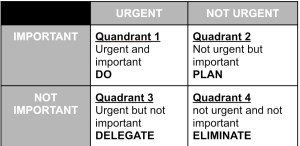
This matrix allows to structure your decision making into 4 quadrants. Each quadrant gives you a clear view of when and if you should take a task into your todo list:

Eisenhower Matrix

2 minute rule

The two minute rule is simple really, whenever a task takes 2 minutes or less, you should do it straight away. This will unclutter your mind and allow you to focus on the rest of the Eisenhower matrix.

Boring task first

As long as the task fall into one of the Eisenhower matrix fields you will target (quadrant 1) and is boring, you should follow with that one first. 

Uncluttering your TMS

One last step to get the most out of your system is to make it last as long as possible. There is nothing worse than a system you work on but end up quitting because it’s a mess. Therefore, you need to learn to unclutter your TMS. Here are some simple rules to follow:

  1. Create an inbox / task dump location in your TMS. You are not going to be able to work on all tasks at once and new tasks shouldn’t take space in your current tasks. 
  2. Choose a limited number of tasks from your task inbox every day / half day to work on following the steps mentioned in the previous segment. 
  3. Remove all untouched tasks or use an automatic removal for tasks you haven’t done that day from your current tasks. This will help you plan the next day more easily 
  4. Repeat 

Following the above steps will definitely help you make the most out of any Task management system you build for yourself.

Why you need a Task Management System

Most people think that a task management system is overkill and or totally unnecessary. But the truth is that nowadays it has become a prerequisite for any work but also for your daily life. 

Key needs for a Task Management system : 

  1. Reliable source for all your todos
  2. Reminders and accountability 
  3. Achievement and purpose

Reliable source for all your todos

The main reason why you should consider a task management system is to build a efficient and reliable way to follow everything you need to do. Essentially, you are providing yourself an assistant that will record information for you and feed it back to you when you need it. Additionally, this system should help you in deciding which task you should prioritize. 

You might think that you don’t need such a system and that your mind is enough for everything you need to do. Sometimes you might be right, but sometimes it is not good enough. What you need is consistency

Having a reliable source for your tasks buys you something that is becoming pretty much priceless nowadays : peace of mind. However in order to have this peace of mind you need to make sure your system is secure and available at any time. 


reliability

/rɪlʌɪəˈbɪlɪti/

noun

the quality of being trustworthy or of performing consistently well.

“the car’s background gives me every confidence in its reliability”

the degree to which the result of a measurement, calculation, or specification can be depended on to be accurate.

plural noun: reliabilities

“these data throw doubt on the reliability of national statistics”


What you are seeking with a task management system is to make sure you have a safe space you are confident will contain both the right information and that over time you will be able to find it there consistently. 

This reliability is exactly what makes such a system powerful. 

Why is reliability so important ?

In the past few years productivity has become a growing topic on the internet but most views are the same: achieve more by keeping tabs on what you need to do. 

The truth is that we need predictability in our lives to be able to use our brain power for something else. Therefore, the more automation or reliable tools you use, the less you need to worry about and the more you can focus on the things you actually want to do. 

Reminders and accountability 

This is actually one of the most important parts of the system you are trying to build.

A task management system is a tool that needs to serve you but it should also help you when you need it most. This tool should help you when you are your worst self: forgetful and / or lazy 🙂

The reason why reminders are so useful and powerful is because they are an efficient way to relax our brain. Reminders allow you to be forgetful without fearing the consequences. Whenever you have something to do but don’t use a reminder, you are asking your brain to store the information and check if the time has come every minute, day, month. Even if you are not consciously doing it it still takes brain processing power away from you. This power you could use to think about new ideas or even spend time talking to someone 🙂

Additionally, what you need for anything good to come out of this type of tool, is accountability. You want to make yourself accountable for the things you do. The reason to make yourself accountable is for you to be aware of the things you can and cannot do. There is a simple way of thinking about accountability: it’s not supervision. It’s empowerment. Knowing what you are able to do in a given amount of time allows you to know either the limits you want to keep or the ones you want to push forward and improve. 

Achievement and purpose

Our brains have evolved but not as much as you would expect. They actually rely heavily on instant gratification. A prime example of this is sugar. When eating sugar, our brains light up because it knows that this sugar will bring energy rapidly to our system. It’s a response learned over the course of our evolution and hasn’t changed even though the availability of sugar has gone up for us as a species. There are ways for us to use this to our advantage when trying to complete a task or reach our goals. 

This is where gamification comes in: 


Gamification is the strategic attempt to enhance systems, services, organisations and activities in order to create similar experiences to those experienced when playing games in order to motivate and engage users.


We are wired to be motivated by actions that bring us joy/pleasure or simply rewards us. It is therefore in our best interest to make sure our tasks bring us a sense of reward. For some people gratification comes from throwing away a post-it note, or crossing an item off a list. These small actions are the ones that we are pursuing when actually working on the lists we create. 

The reason task management systems are so beneficial is that they allow you to treat any project or todo list as a game. You create a new game and you go through the level (the actual work) and when done, you have completed the level and the system shows how good you are at the game you’ve created by the number of todo’s you’ve done in a day. This system then gives your brain the sensation that your work has achieved something meaningful for you. 

Having a sense of achievement for anything you have to do, even if it’s boring or difficult, is what you are creating when you are using a task management system. 

Apart from the sense of achievement. A greater goal or need we have is actually to have a sense of purpose. Purpose is our great driving force as human beings. Without it motivation goes down and even health might take a hit. 

Our minds and will are driven by this sense that we are not doing things for nothing. That there is meaning in our work and life. (Probably the reason religion works so well…). 

Our task management system should allow us to link our work with our sense of purpose. If you are working to provide to your family, then every task you complete should bring you one step closer to it. (If it does not, then is that task really worth it ?)

A system allows you to bring your purpose and your daily tasks closer to each other. Creating a good system should allow you to know IF you should do a task, WHY you are doing a task, WHEN you should do it compared to other tasks and give you a sense of ACHIEVEMENT towards goals you have.